Plannotator Inbox is an async surface for your long-running coding agents. Over a run they have questions. They hit blockers. They produce plans and prototypes and diffs you need to review. The Inbox is where all of that arrives while they keep working. You read it like mail and answer or annotate with Plannotator when you get to it. It runs with plannotator inbox.
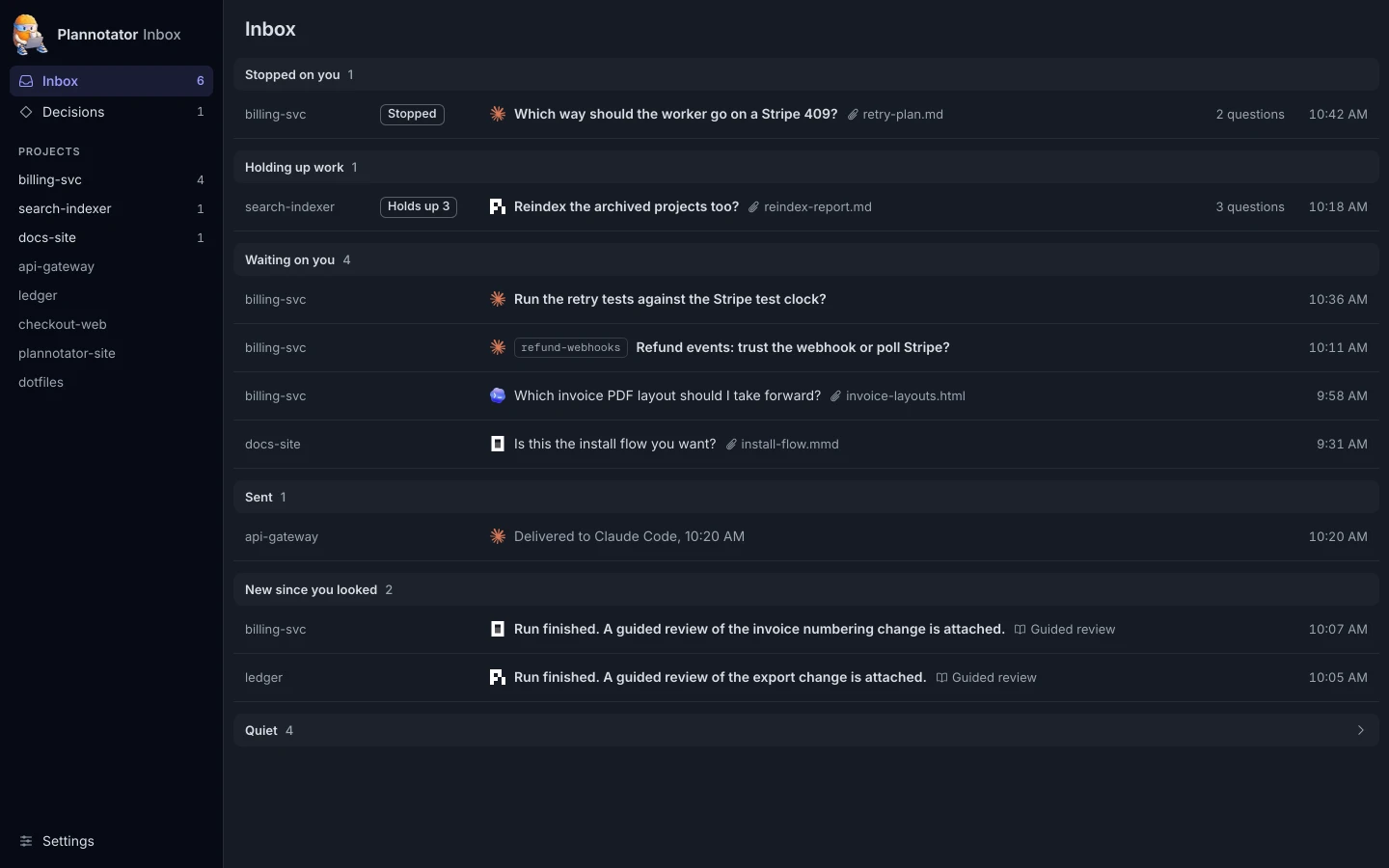
Agents run for hours
A year ago an agent needed you every few minutes. Now you can hand one a real task in the morning and it will still be working at lunch. Over those hours it still needs you a few times: a plan to approve, a case the plan did not cover, a prototype to look at, a change to read.
The agent’s own window is built for the run you are watching. Long runs are the ones you are not watching. With three or four agents going you sit in none of their windows, and what they need from you ends up in scrollbacks you have to go and find.
Everything about coding agents is going async. The Inbox treats it that way. Every agent writes to one list. Each item is a thread with its context attached. You open it when you are ready, answer or annotate once, and the agent continues from there.
Here is one day with it.
9:40 The plan
Claude Code starts in billing-svc. The retry worker drops charges when Stripe answers 409, and the task is to fix that. Before it writes code, it drafts retry-plan.md and sends you a thread with two questions: should the worker retry with the same idempotency key, and should the new worker ship behind a flag?
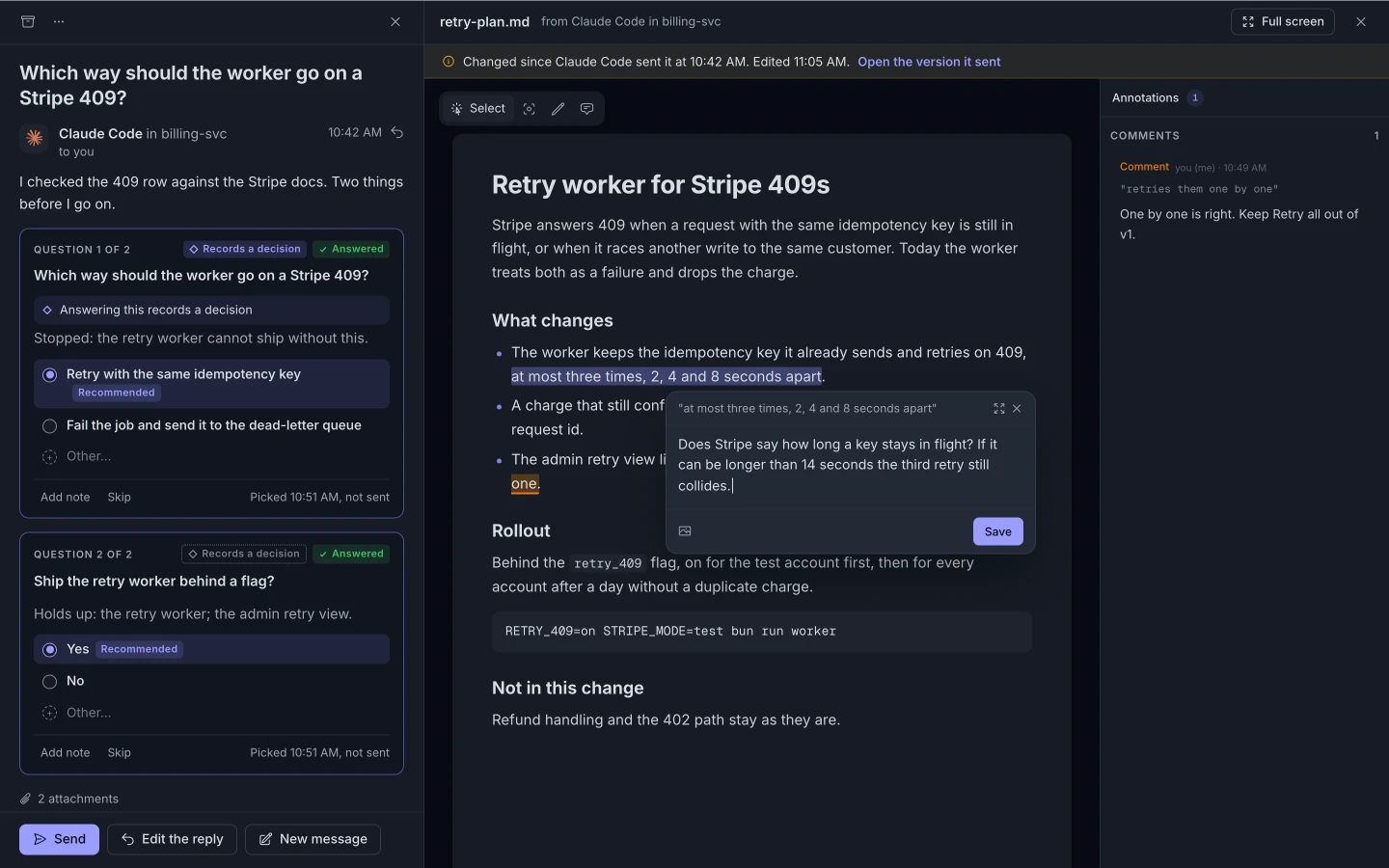
The questions are Plannotator’s question cards: the options, the one Claude Code recommends, and what the answer holds up. You open the plan beside the thread. One line says the worker retries “at most three times, 2, 4 and 8 seconds apart”. You select it and ask whether a key can stay in flight longer than fourteen seconds. That is Plannotator’s own annotation tool. You pick “Retry with the same idempotency key” and “Yes” for the flag. The reply box shows “2 picks” and “1 annotation”, and you press Send.
Claude Code takes your answer as its next turn and starts building.
Back to your own work
You go back to your own work. Your agents are good enough to keep working for a long time. You just need to be notified.
10:42 A question the plan did not cover
You can’t plan everything up front. Halfway through, Claude Code reaches refunds, which the plan left out. A refund can arrive by webhook before the worker sees it, and Claude Code cannot tell from the code whether the worker should act on its own. It stops on you: “Refund events: trust the webhook or poll Stripe?”
The open Inbox page raises a desktop notification that names the project and the question. In the Inbox the thread sits at the top, under Stopped on you. You answer that the worker never refunds on its own; refunds stay a person’s call. That is a rule the project should keep, so you switch on “Records a decision”, check the wording, and Send. The decision is filed under billing-svc with the others, where you and your agents can read it on the next run.
1:15 A prototype
Another agent, in a different repository, has something to show: a prototype of a releases page for a project, in dark and light. It attaches the page to its thread.
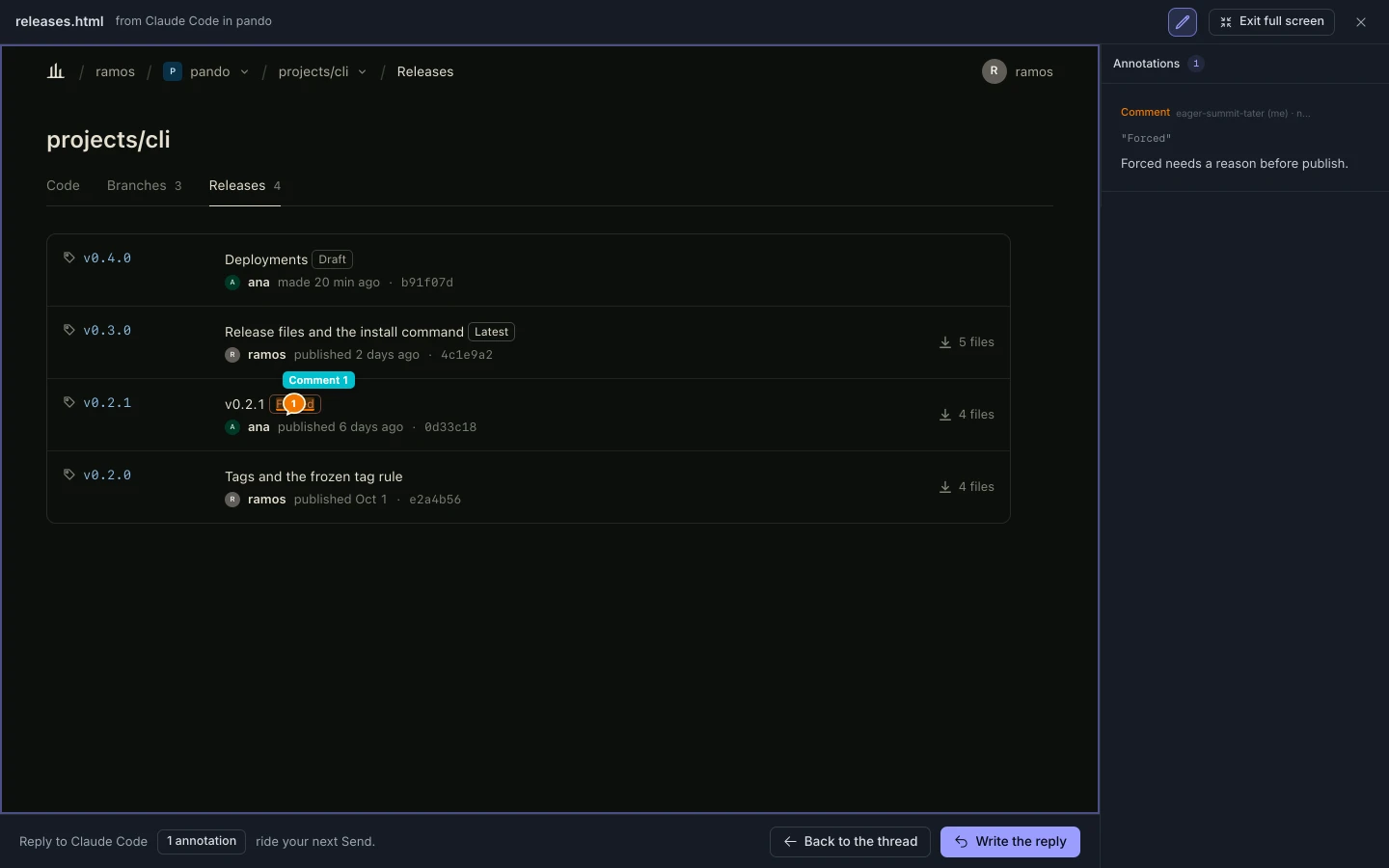
HTML opens full screen inside the Inbox. You pin a comment to the “Forced” badge and another to the empty space where a release has no files. Your comments ride the next Send, anchored to the elements you pointed at.
4:30 The guided review
When a run finishes, the agent sends a guided review.
Pi has been working in ledger since the morning, moving the CSV export off an in-memory array. Its message says peak memory on the March ledger went from 1.9 GB to 140 MB, and that it wrote a guided review so you can read the change in order. Four sections; the second is the one to look at hardest.
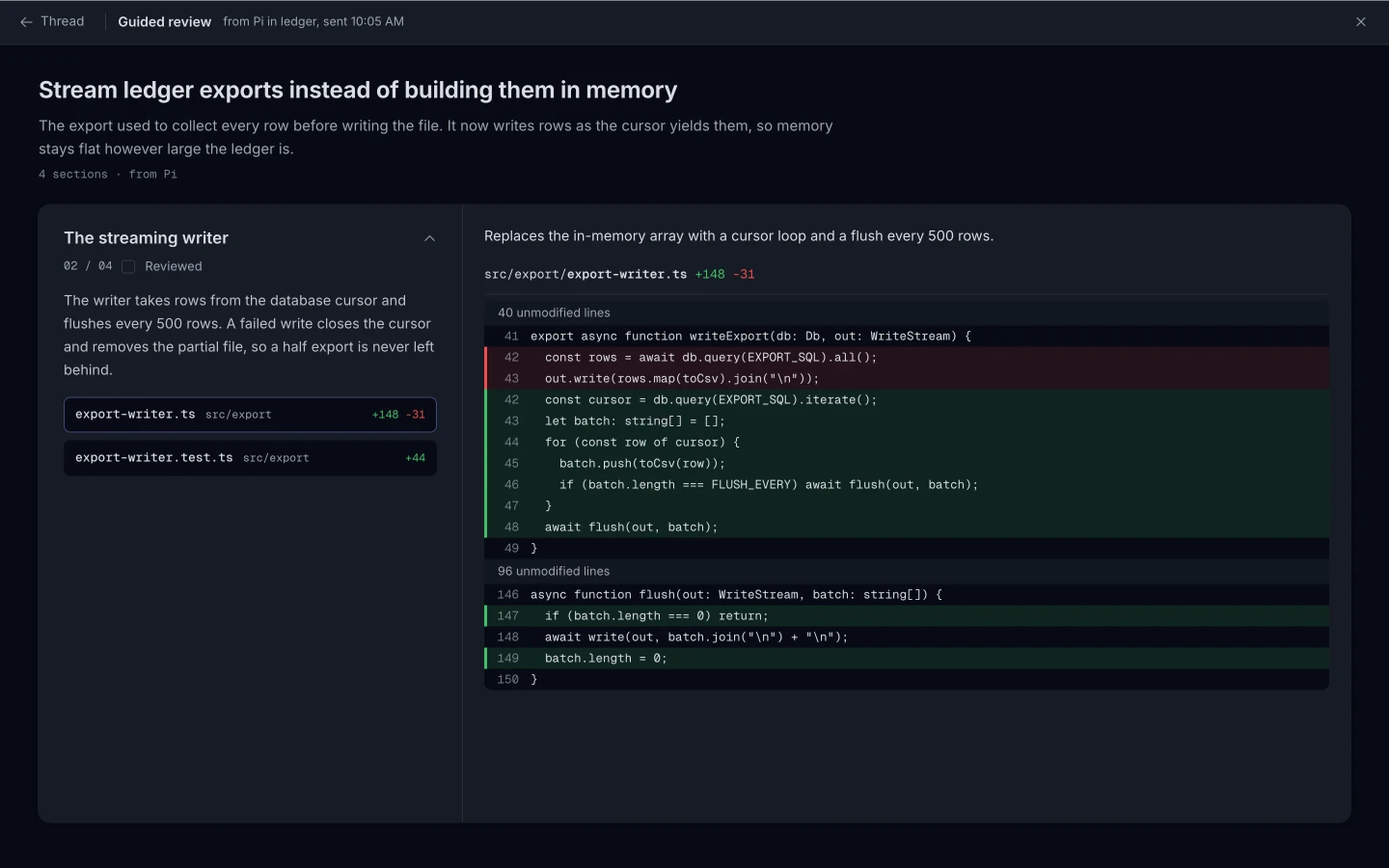
It opens in Plannotator’s guide viewer, inside the thread. Each section has a summary, its own diff and a reviewed mark, and every file in it is checked against the real diff. You read section two first, mark it reviewed, and come back to the rest after dinner. The plan you approved, the decision you made mid-run and the prototype you marked up end here, as code you can read in one sitting.
How the answer gets back
When you press Send, your answer arrives as the session’s next turn, and the thread shows “Delivered to Claude Code”.
Plannotator’s Claude Code mod, Pi extension and OpenCode plugin write to the Inbox on their own and wake the agent when you Send. Any other agent connects to the Inbox as a local MCP server; the Inbox shows the exact step for each, for example:
codex mcp add plannotator-inbox -- plannotator inbox mcpLocal
The Inbox listens on 127.0.0.1 only, opens in your browser and needs no account. Threads, answers and decisions are files under ~/.plannotator. It is part of Plannotator, MIT or Apache 2.0.
Coming, in the Plannotator mobile apps: the same inbox, hosted, on your phone.
Install
Install Plannotator and run plannotator inbox.
curl -fsSL https://plannotator.ai/install.sh | bash


